MyScrapbook Studio
Launching May 2026BlogLog In

Free Digital Scrapbooking Software — No Download Required

That birthday party. That vacation. That look on their face.Turn your phone photos into pages you'll actually keep.

🎁Join the waitlist → get an exclusive founding member kit free at launch

You're joining the waitlist. We'll email you when your studio is ready.

Already have an account? Log in

🚀 Only 100 76 left — get your free kit now!

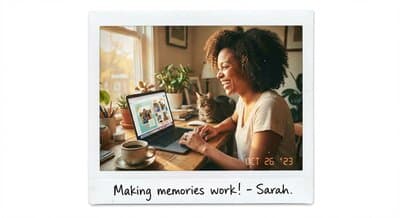
Digital scrapbooking workspace

My happy place 💻

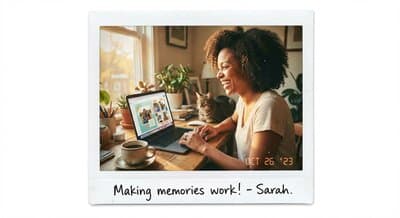
Creator making memories

Making memories ✨

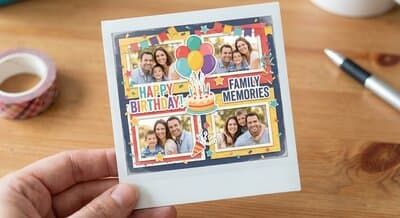
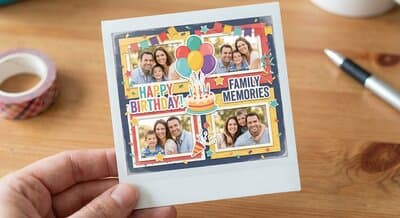
Birthday scrapbook layout

Family memories 🎂

Why Creators Choose Us

Built to solve the frustrations of existing tools. Professional results without the learning curve or price tag.

Masks That Inspire

100+ mask shapes across 10 categories—geometric, artistic, decorative, nature, and more. Hover to preview. Click to apply. Stack for unique effects.

More capable than $129 desktop software

No Download Required

Works in any modern browser. Mac, Windows, Chromebook - if you have a browser, you can create.

Unlike Windows-only alternatives

Cloud Integration

Connect Google Drive and OneDrive. Your photos stay where you keep them, no uploading required.

Say goodbye to platform lock-in

Free to Start

No subscription needed to begin. Create beautiful scrapbooks without financial commitment.

No $129 price tag to get started

Simple to Start, Powerful When Ready

Essential tools are always visible. Advanced features reveal themselves as you grow. No overwhelming interface, no hidden menus.

Learn in minutes, not months

Your Photos, Your Way

Export in standard formats. No proprietary file types that lock you in. Your creations belong to you.

Full ownership of your work

Built for Serious Scrapbookers

Professional tools that scale with your creativity.

Spread View

Design two-page layouts as a single spread. Link pages together. See your album the way it will print.

Professional album layouts

Layer Control

See every layer at a glance with live thumbnails. Drag to reorder. Click to select. Know exactly what's on your page.

Professional-grade management

Design Elements

Browse stickers, backgrounds, text styles, and decorative elements. Search by tag, filter by type, drag to add.

Thousands of creative elements

Masks

100+ mask shapes across 10 categories. Stack for unique effects. Boolean operations and favorites.

More capable than desktop software

Photo Editing

Adjust brightness, contrast, saturation. Apply filters. Crop and resize. No need to switch to another app.

Edit photos without leaving

Templates

Design a page layout you love? Save it as a template. Reuse across projects. Build your personal design library.

Your style, reusable forever

Marketplace

Discover Beautiful Kits

Handcrafted scrapbook kits by talented designers. Drop them straight into your spreads.

Don't miss the launch 🚀

We're launching in May 2026. Founding members get an exclusive kit loaded into their account — free.

Only the first 100 members get this kit — free.

What We're Building

See our progress — we're already 91% complete

20 features done ✓2 remaining

Done (20)

Spread View

Canvas

2-page layouts with linking

Advanced Masks

Masks

100+ shapes, Boolean ops, favorites

Digital Kits

Content

Browse, drag & drop themed kits

Guided Onboarding

Workspace

5-step first-project wizard

Cloud Photo Import

Photos

Google Drive & OneDrive

Templates

Templates

Drag-drop layouts + save your own pages as templates

Font Kits

Content

Decorative font characters & words

Google Fonts

Text

Thousands of fonts with visual browser

Universal Tagging

Workspace

Cross-asset tags with batch operations

Photo Matting

Photos

7 professional presets

Image Filters

Photos

Brightness, contrast, saturation adjustments

Curved Text

Text

Arc, wave, circle, spiral effects

Stroke Styling

Shapes

Borders and outlines for shapes & text

Project Dashboard

Workspace

Manage projects with search & filtering

HEIC Support

Photos

iPhone photo conversion

Undo/Redo

Workspace

50-action history with keyboard shortcuts

Layer Control

Workspace

Thumbnails, visibility, reorder

Kit Filtering

Content

Filter embellishments by kit source

PNG/PDF Export

Export

High-quality output

Text Wrapping

Text

Wrap around photos

Coming Soon (2)

Image Filters Panel

Photos

Restore filters to properties panel

Vector Shape Editing

Shapes

Point manipulation

Questions? We've got answers ✨

How is this different from Canva?+
Canva is a general design tool. MyScrapbook Studio is purpose-built for scrapbookers — with spread view, photo matting, layered elements, and a creator marketplace. Think of it as Lightroom vs Photoshop: built for one thing, and brilliant at it.
Is it really free?+
Yes. The free tier stays free forever — create beautiful scrapbook pages without paying a cent. Premium features will be available later for power users who want more.
When exactly does it launch?+
May 2026. Waitlist members get early access before the public launch, plus an exclusive founding member kit loaded into their account.
Do I need design skills?+
Not at all. Drag, drop, and done. Our templates and kits make it easy for anyone to create pages that look professionally designed.
What's a founding member kit?+
It's an exclusive digital scrapbook kit — papers, elements, frames, and embellishments — designed by real scrapbook artists. It's loaded into your account for free when you join the waitlist. Only the first 100 members receive it.
Do I need to download anything?+
Nope. MyScrapbook Studio runs entirely in your browser. Works on any computer — Mac, Windows, Chromebook. Just open and create.